
The Clerk Does Not Publish Active St. Johns County Warrants
The St. Johns County Clerk's public-records FAQ is direct on this point: the office does not publish active warrant information on its website. The reason is a specific provision of Florida court rules. Under Florida Rule of General Practice and Judicial Administration 2.420(c)(6), warrants and their supporting affidavits are confidential and exempt from public disclosure until they are served on the subject or until a law enforcement agency determines the warrant cannot be executed. Until one of those two events occurs, the warrant stays out of public view.
This rule exists to protect the integrity of law enforcement operations. Publishing an active warrant could allow the subject to flee or take other steps to avoid service. Once the warrant is served, a return of service is filed in the associated court case, and the warrant documents become publicly disclosable inside that individual case record. At that point, you can find them by searching the case in the Benchmark portal. The Clerk does not publish a list of filed returns of service for completed warrants either; those details live inside the specific case file.
The image below is from Florida Statutes section 119.0714 on the Florida Senate website. That statute covers court files and official records exemptions and works alongside Rule 2.420 to define which court record categories the public cannot freely access.
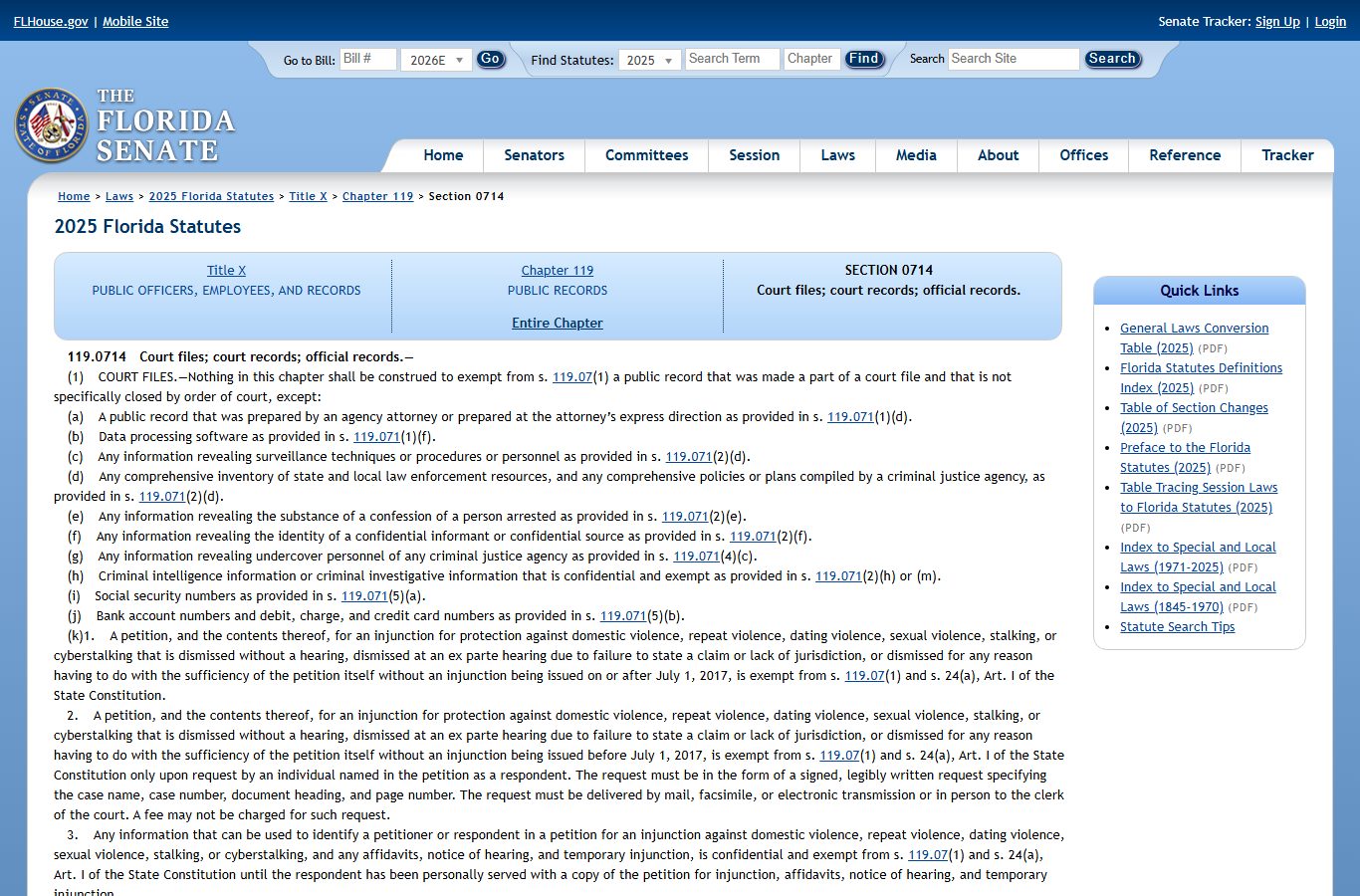
Section 119.0714 is the Florida statute that controls exemptions for data inside court files and official records, including the protection that applies to warrants and supporting affidavits before service. The Clerk relies on this statute and Rule 2.420 when declining to publish active warrant information.
SJSO Court Services: The Right Contact for Warrant Questions
The St. Johns County Sheriff's Office Court Services/Judicial Process division handles warrant service, civil process, and related judicial functions. For warrant status questions, the official contact is the SJSO warrants line at (904) 209-1440. The office is located at 3955 Lewis Speedway, St. Augustine, FL 32084, and operates Monday through Friday, 8:00 AM to 5:00 PM. It is closed on weekends and holidays.
The image below is from the SJSO Court Services/Judicial Process page, which lists the warrants phone number, civil process phone number, and service procedures for St. Johns County.
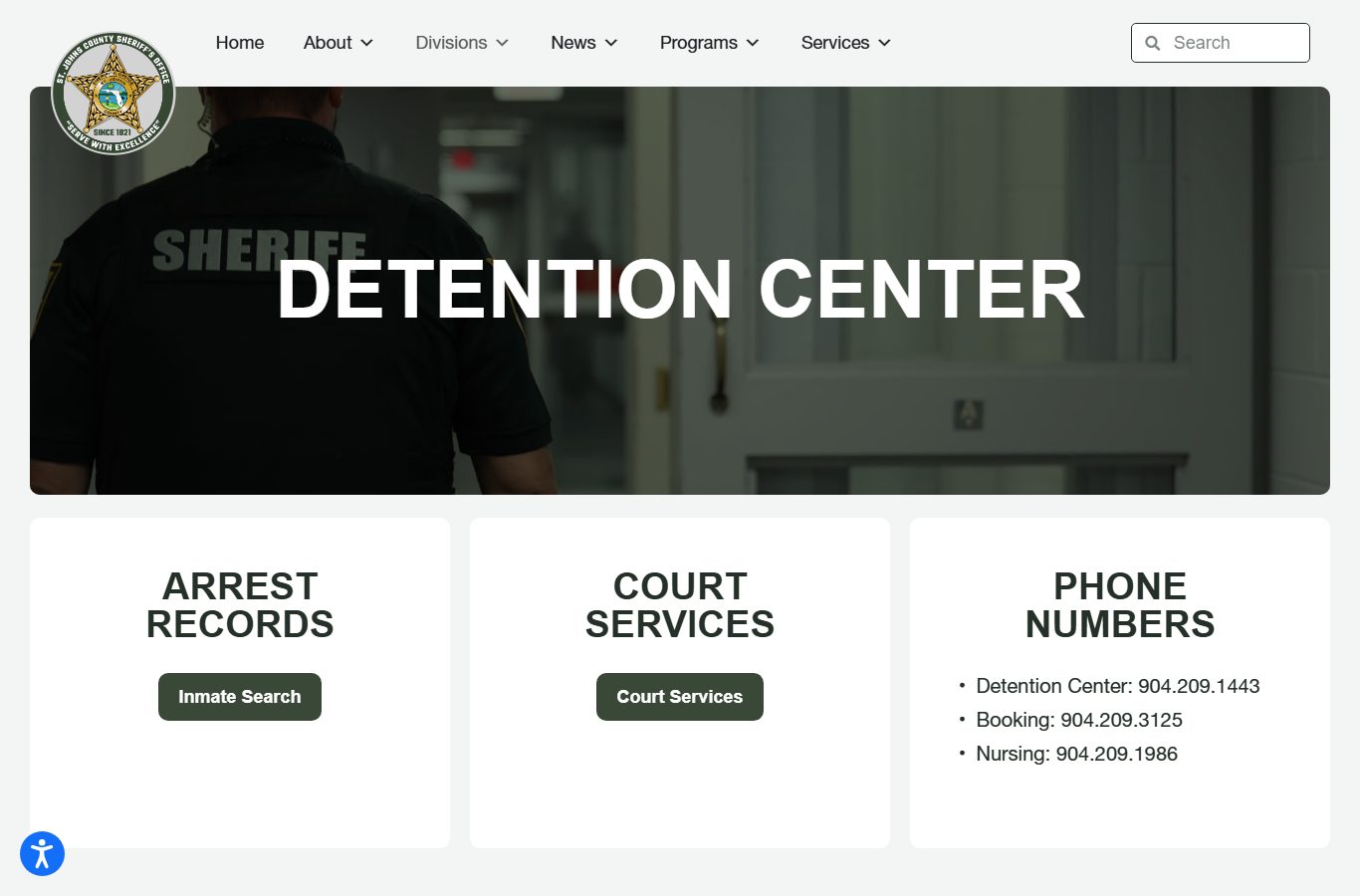
The SJSO Court Services page confirms that warrants and civil process are handled from the Lewis Speedway facility, with separate phone lines for warrants and civil process operations.
SJSO Court Services / Judicial Process
3955 Lewis Speedway
St. Augustine, FL 32084
Warrants: (904) 209-1440
Civil Process: (904) 209-1435
Mon–Fri 8:00 AM–5:00 PM
Types of Warrants in St. Johns County
Not every warrant is the same. The type determines who issued it, why it was issued, and what happens after service. Understanding the categories helps you know which office to call and what to expect. The definitions below reflect Florida court practice and the SJSO judicial process descriptions.
- Arrest warrant
- A judge-authorized order commanding law enforcement to arrest a named person. It is based on a sworn probable-cause affidavit. Once issued, it remains active until served or recalled by the court.
- Bench warrant / Capias
- Issued directly by a judge, often after a defendant fails to appear for a scheduled court date, violates a court order, or is held in contempt. In Florida, the term "capias" is commonly used for court-issued arrest orders within a criminal case. These appear as docket entries in Benchmark once the warrant is returned served.
- Search warrant
- Authorizes law enforcement to search a specified location, vehicle, or person for evidence. Supporting affidavits are often confidential until the warrant is executed. Search warrants are generally not searchable by name in a public records portal; they appear as documents inside a related criminal case after service.
- Fugitive warrant / Hold
- An out-of-county or out-of-state warrant or detainer. SJSO Court Services coordinates with other jurisdictions for fugitive matters. Florida has a Fugitive Justice court type in Benchmark, which tracks cases involving extradition or hold requests.
- Civil writs and process
- Not criminal warrants. SJSO civil process handles summons, subpoenas, restraining orders, writs of possession for evictions, child custody orders, and deputy escorts. These are civil judicial functions, not arrests. The civil process phone at SJSO is (904) 209-1435.
Note: The term "capias pro fine" refers to an arrest order for unpaid fines in some jurisdictions. Florida practice may use this term in specific contexts; confirm the exact charge and court entry label when reviewing a St. Johns County case docket for this type of warrant entry.
Warrant Search Fields and What to Expect
The SJSO Court Services/Judicial Process page contains a Warrant Search link, but the live form fields were not fully accessible during research. Based on the Benchmark case search system and standard SJSO warrant search functionality, the fields below reflect what a name-based warrant search typically includes. Verify on the live SJSO page before relying on this table, as field labels may differ.
| Field Label | Type | Required | Notes / Format |
|---|---|---|---|
| Warrant Search link | Navigation | n/a | Located on the SJSO Court Services/Judicial Process page. Opens the warrant search function. |
| Name | Text (likely) | Unspecified | Search by subject's name. Verify live field label on SJSO page. |
| Search / Submit | Button | n/a | Executes the query. Live fields not fully harvested; verify before relying on this inventory. |
Because the SJSO live warrant search was not fully accessible during research, the field inventory above is partial. For the most accurate, up-to-date warrant information, call SJSO Court Services directly at (904) 209-1440. Staff can confirm whether a warrant exists for a specific person and advise on next steps. Do not use third-party sites to check for active warrants in St. Johns County.
What a Warrant Record Contains Once Public
After a warrant is served and a return of service is filed in the underlying court case, the warrant documents become publicly disclosable inside the individual case file in Benchmark. The warrant record then becomes part of the court case docket. The field inventory below reflects what typically appears in a St. Johns County case record after service, based on Benchmark case fields and Clerk division descriptions. A live sample warrant record was not inspected during research because active warrants are confidential until served.
| Field | What It Shows |
|---|---|
| Case Number | The court case number linking the warrant to the associated criminal or civil case. |
| Warrant Document Title | The label for the warrant as it appears in the docket, such as "Capias Issued," "Warrant Issued," or "Bench Warrant." |
| Date Issued | The date the judge signed or issued the warrant. Appears in the docket entry. |
| Charge / Case Type | The underlying offense or civil matter that prompted the warrant issuance. |
| Return of Service Entry | Docket entry confirming the warrant was served on the subject, filed by the serving officer or agency. |
| Date Served | The date the warrant was executed, shown in the return of service docket entry. |
| Supporting Affidavit | The sworn probable-cause statement supporting the warrant. Confidential until served, then typically part of the public case file unless otherwise ordered confidential. |
| Judge | The judge who issued the warrant, listed in the case docket. |
| Subsequent Docket Entries | Arraignment, bond review, plea, and other case events that follow after service. |
Note: Some fields within a warrant record may still be redacted or restricted even after service. Victim information, protected personal identifying data, and any court-ordered restriction remain confidential regardless of whether the warrant itself has been served.
How to Resolve an Outstanding St. Johns County Warrant
An unresolved warrant does not go away on its own. Warrants can lead to arrest at any time, including during a routine traffic stop. The steps below reflect the practical process for addressing an outstanding warrant in St. Johns County, based on official SJSO and Clerk information. Consult a defense attorney before taking any steps, especially for felony warrants or warrants connected to serious charges.
- Do not rely on the Clerk website or Benchmark for active-warrant confirmation. The Clerk does not publish active warrant information. Call SJSO Court Services at (904) 209-1440 or consult an attorney.
- If an attorney is involved, they can contact the State Attorney's Office and the Clerk to confirm the status of the underlying case and whether a capias or bench warrant has been issued.
- Search Benchmark for the underlying case if a case number is known. The active warrant documents will not appear, but the docket may show a capias entry, a failure-to-appear notation, or a bond revocation entry that confirms an issue exists.
- If the warrant relates to failure to appear, contact the appropriate Clerk division and an attorney to arrange a surrender date. Voluntary surrender can sometimes result in more favorable bond consideration.
- Ask SJSO or counsel where and when to surrender, what identification to bring, and whether a bond amount has been set. For felony warrants, bond is often set at the time the warrant is issued by the judge.
- If surrendering, report to the St. Johns County Detention Center at 3955 Lewis Speedway. SJSO booking will process the surrender the same way it processes any arrest.
- After service and booking, the case proceeds through first appearance, where a judge reviews probable cause and bond. First appearances in St. Johns County typically occur daily, usually between 7:30 AM and 11:00 AM.
- Once the return of service is filed in the Benchmark case record, confirm that the warrant status has been updated. The Clerk's criminal division can be reached at (904) 819-3618 for felony matters and (904) 819-3619 for misdemeanor matters.
Searching the Underlying Case in Benchmark
Even though active warrants are not publicly searchable, the court case associated with a warrant often is. If you know the case number, or if you search a name and find an open case with an unexplained capias entry, Benchmark can give you important context. You can see the charges, the case status, prior court dates, and any docket entries that followed after service.
To search in Benchmark, go to the Clerk's online research hub, choose Court Records, and enter the Benchmark portal. Search by case number, name, citation number, or date range. Select the court type, such as Criminal Felony or Misdemeanor, to narrow results. A capias entry in the docket means a court-issued arrest order was generated within the case. Once served, the return of service entry will appear in the same docket.
For civil writs and process such as eviction orders, writs of possession, or subpoenas, the SJSO civil process line at (904) 209-1435 handles those. Civil process matters appear in the civil, family, or small claims dockets in Benchmark under the applicable case type, not in the criminal warrant system. For related criminal case information, the St. Johns County criminal records page covers the full Benchmark criminal search process and restricted record categories.
Bond and Surrender in St. Johns County
When a warrant leads to custody, bond is often the next issue. If a bench warrant or capias is issued for failure to appear, the judge may set bond at the time of issuance. For new arrest warrants, bond may be set at first appearance. In St. Johns County, first appearances are held daily, and the SJSO FAQ says they usually run between 7:30 AM and 11:00 AM. Contact SJSO booking at (904) 209-3125 for an exact time on any given day.
Bond can be paid in cash at the jail, or a licensed bondsman can be engaged to post bond for a fee. The full cash bond amount may be paid directly at the St. Johns County Detention Center at 3955 Lewis Speedway. If no bond is set, the person must remain in custody until a judge addresses the matter. SJSO phone service for inmates is through Paytel at 1-800-729-8355.
Once bond is posted and the person is released, the court case continues with arraignment and subsequent hearings. All future court dates will appear in the Benchmark docket for the underlying case. For more on the jail process, booking, and bond, see the St. Johns County inmate records page.